Decide on Headless CMS: Migration and SEO for Tech Decision Makers

A headless CMS stores and manages content separately from the code that displays it, sending that content to any device through an API instead of a built-in templating layer. Choose one when you need to publish the same content across a website, a mobile app, or other channels without duplicating work. Skip it if you run a single website with one editor and no second frontend on the roadmap, since the added API layer buys you flexibility you may never use.
TL;DR:
- Headless CMS is best suited for projects with multiple frontends like websites, apps, or kiosks, and not necessary for single-site, static projects.
- Content delivery via REST or GraphQL APIs affects caching strategies and impacts performance, especially with complex queries or preview endpoints.
- Deployment options include SaaS cloud services, self-hosted solutions, or hybrid architectures, with operational responsibilities varying accordingly.
- Use case examples include ecommerce stores, multi-language sites, mobile apps, and AI automation, all benefiting from content reuse and structured data.
- Security focuses on protecting API endpoints, especially preview and webhooks, since these can leak unpublished content or be exploited if not properly secured.
Table of Contents
- What Is a Headless CMS? Core Concepts and Terminology
- A Brief History: Why Headless Emerged
- How Headless Architecture Works: Rendering, Topologies, and Tradeoffs
- Types of Headless CMS Solutions and How to Choose
- Benefits of Headless CMS for Engineering and Business Teams
- Drawbacks and Signals That Headless Is the Wrong Choice
- Implementation and Migration: Timeline, Cost, and SEO Checklist
- Concrete Use Cases and Example Architectures
- Security Considerations Specific to Headless CMS Platforms
- Integration With CRM, Analytics, and Marketing Automation Tools
- Performance Optimization Techniques for Headless CMS Deployments
- Where Headless CMS Technology Is Headed
- How Quicktoimpress Approaches Headless Projects
- Sources
- FAQ
What Is a Headless CMS? Core Concepts and Terminology
A headless CMS is a content repository with no built-in frontend. It stores structured content and hands it off through an API, letting any number of applications pull that content and render it however they want. AWS describes this as decoupling the backend content repository from the presentation layer, so the same article, product description, or landing page block can feed a website, a native app, and a kiosk display without three separate copies living in three separate systems.
That separation is often called “content-as-a-service.” Instead of a CMS rendering HTML pages directly, it exposes content as data. A frontend, whatever framework it’s built in, requests that data and turns it into a webpage, an app screen, or a voice response.
The content model is the schema that defines what a piece of content looks like: a blog post might have a title field, a body field, an author reference, and a featured image. Editors fill in those structured fields through an admin interface, and the CMS validates and stores them exactly as defined, rather than as a blob of freeform HTML.
Content reaches frontends through two dominant API types. REST APIs expose content through fixed endpoints, one per content type, each returning a predictable JSON payload. GraphQL APIs let the frontend specify exactly which fields it wants in a single request, which cuts down on over-fetching when a mobile app needs less data than a desktop site. Most modern platforms support both, alongside dedicated endpoints for media assets.
Editorial teams need more than a “publish” button. A workable setup separates draft, staged, and published content, with a preview API that lets an editor see unpublished changes rendered on the live frontend before anyone else does.
A few terms worth knowing before you go further:
- Content-as-a-service: content delivered as structured data via API rather than rendered pages.
- Content model: the schema defining fields, types, and relationships for each content type.
- Delivery API: the endpoint that serves published, live content to frontends.
- Preview API: an authenticated endpoint that serves draft or unpublished content for editorial review.
- Webhook: an automated notification the CMS fires when content changes, often used to trigger rebuilds or cache purges.
A Brief History: Why Headless Emerged
Traditional CMS platforms bundled content storage, templating, and rendering into one application. That worked fine when a company had one website and one team building it. It broke down once businesses needed the same content on a website, an app, and a partner portal, because the templating layer was welded to a single output format.
Two forces pushed the industry toward separating those layers. First, API-first architecture became normal practice across software generally, not just content management, so treating content as an API made sense. Second, the Jamstack movement popularized building fast, secure static sites backed by APIs, and its own community survey found that modern frontend frameworks and CDN delivery were the primary drivers pulling teams toward this model.
As adoption grew, the market split into two camps. SaaS-managed platforms took on hosting, scaling, and uptime in exchange for a subscription. Open-source and self-hosted options gave engineering teams full control over their infrastructure and data, at the cost of running that infrastructure themselves. Both camps solved the same underlying problem: freeing content from a single rendering pipeline.
How Headless Architecture Works: Rendering, Topologies, and Tradeoffs
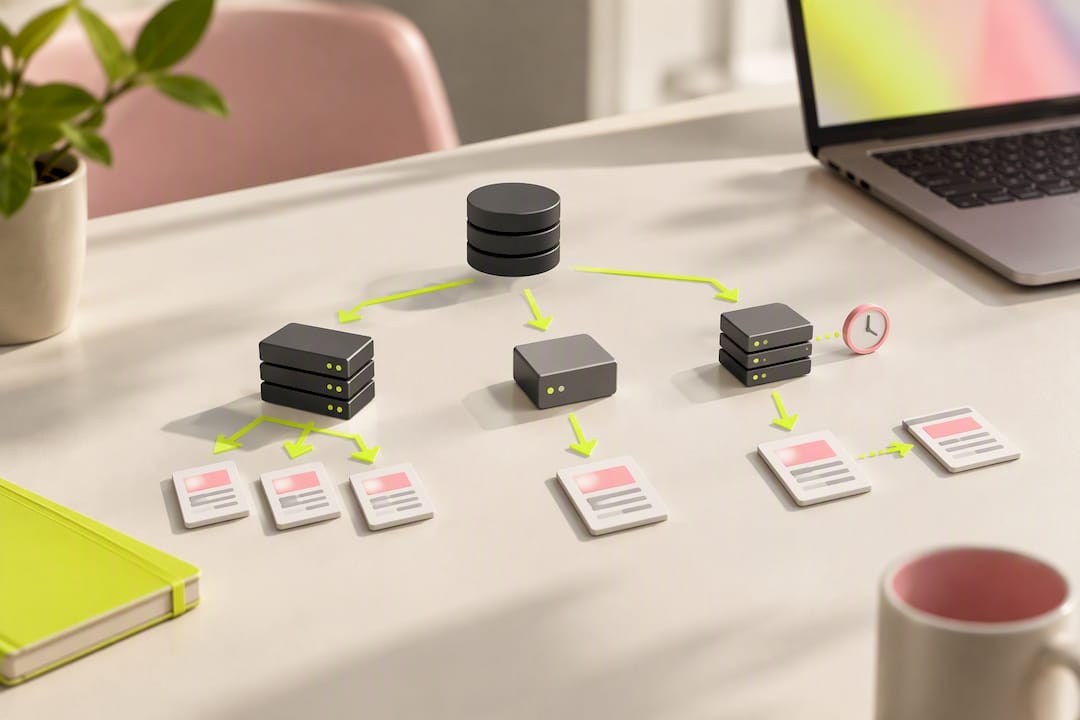
Every headless setup has the same four moving parts: a content repository, an API layer, a delivery network, and a rendering host. How you configure those four pieces determines your site’s speed, your SEO outcomes, and how much operational work your team signs up for.
The repository holds your structured content and enforces your content model. The API layer, REST or GraphQL, exposes that content to consumers. A CDN typically sits between your API and your frontend to cache responses and cut latency. The rendering host, whether that’s a static file host, a Node server, or an edge function, turns content into the HTML a browser or app actually receives.
Rendering model is the decision that shapes almost everything downstream. Static site generation (SSG) builds every page ahead of time, which makes pages load fast and predictably, but a large catalog can mean long build times whenever content changes. Server-side rendering (SSR) builds pages on request, which handles frequently changing content well and keeps search engines happy with fully rendered HTML, at the cost of a server you now have to run and scale. Incremental static regeneration (ISR) splits the difference: pages are built statically but can regenerate on a schedule or on demand, which is why Sitecore’s own documentation on rendering topologies treats hybrid SSR/SSG patterns as the default recommendation for large, frequently updated catalogs. Client-side rendering (CSR), where the browser fetches content and builds the page with JavaScript, gives developers the fastest iteration loop but creates real SEO risk if search crawlers don’t execute your JavaScript reliably.
Pro Tip: If SEO matters for a page and its content changes more than a few times a month, don’t default to pure CSR. Test whether your crawler of choice actually indexes the rendered content before you commit to that architecture.
API choice affects performance in ways that are easy to underestimate. REST endpoints are simple to cache at the CDN layer because each one returns a fixed shape. GraphQL’s flexibility means two requests to the same endpoint can return wildly different payloads, which complicates caching unless you add a persisted-query layer or a dedicated GraphQL CDN. Preview and media endpoints usually need their own rules: preview APIs require authentication and typically bypass caching entirely, while media endpoints benefit from aggressive, long-lived caching plus on-the-fly image transforms.
Three topology patterns cover most real deployments:
- SaaS backend plus CDN: the vendor hosts and scales the API; you point a CDN and rendering host at it. Lowest operational burden, the least infrastructure control.
- Self-hosted backend: you run the CMS and its database yourself, often for data residency or cost reasons at scale. Full control, full responsibility for uptime and patching.
- Monorepo or in-process hybrid: frontend and CMS code live close together, sometimes in the same repository, which speeds up local development but can blur the boundary that makes headless valuable in the first place.
Enterprise platforms make these tradeoffs explicit. Sitecore’s headless documentation walks through rendering SDKs, GraphQL and REST endpoints, and dedicated preview and delivery services as separate, composable pieces, which is a useful mental model even if you’re evaluating a different vendor.
Operationally, plan for four things regardless of which pattern you pick: a caching strategy with a clear invalidation trigger, rate limit handling on the delivery API, an authenticated preview path that doesn’t leak draft content publicly, and monitoring that covers both the CMS and the rendering layer, since a slow API call and a slow render look identical to an end user but require different fixes.
Types of Headless CMS Solutions and How to Choose
Platform choices cluster along two axes: SaaS versus self-hosted, and editor-first versus developer-first. Comparisons across major platforms consistently show these two axes, not feature checklists, driving the real tradeoffs in pricing shape, data residency, and schema control.
SaaS-managed platforms hand off hosting, scaling, and security patching to the vendor. You get predictable uptime and painless upgrades, but you’re subject to the vendor’s pricing model, which is often usage-based on API calls or records, and that can get expensive at scale in ways that are hard to predict up front.
Self-hosted or open-source platforms put your team in charge of infrastructure. That means full control over where data lives, which matters for regulated industries or strict data residency requirements, but it also means your team owns patching, scaling, and uptime.
Code-first or schema-as-code platforms define content models in code rather than through an admin UI. Schema changes go through the same pull request and review process as application code, which brings type safety and CI integration that align naturally with how engineering teams already manage code changes. This fits teams already deep in a TypeScript or Node toolchain.
Git-backed or static-first platforms store content as files in a Git repository rather than a database. Every content change is a commit, which gives you version history and branching for free and pairs naturally with static site generation.
Before picking a category, run through this checklist:
- How much operational capacity does your team have to run and patch infrastructure?
- Does your industry or region require specific data residency guarantees?
- Will non-technical editors use this daily, or is content managed almost entirely through code?
- What’s the realistic budget ceiling, including usage-based API costs at your expected traffic?
Benefits of Headless CMS for Engineering and Business Teams
The core promise of a headless CMS is content reuse without duplication. A single content model can feed a website, a mobile app, a partner portal, and increasingly, an AI agent, from one editorial workflow, which is the direct benefit of treating content as an API-delivered service rather than rendered pages.
For engineering teams, the biggest win is decoupling. Frontend and backend teams can work, deploy, and choose frameworks independently. A team can rebuild the marketing site in a new framework without touching the CMS, and a mobile team can ship without waiting on backend release cycles. That independence tends to speed up iteration, since neither team is blocked by the other’s deploy schedule.
Security improves too, in a specific and often underappreciated way. A public-facing frontend built on static files or an edge-rendered app has a much smaller attack surface than a monolithic CMS where the admin panel, the database, and the public site all live in one application. If your rendering layer has no direct database connection, a compromised frontend can’t reach your content store directly.
For business and marketing teams, the benefits show up as speed. Running an A/B test on a landing page no longer means waiting for a CMS template change; a frontend team can spin up variants that pull from the same content API. Localization gets easier too, since a well-modeled content type can carry locale-specific fields or references without forking the entire page structure. Personalization engines can pull the same structured content and assemble different experiences for different audience segments, all from one editorial source.
Here’s the shortlist of concrete benefits worth flagging to a budget owner:
- Content written once feeds every channel: web, app, kiosk, voice assistant, even AI-driven interfaces.
- Frontend and backend teams deploy independently, on their own schedules.
- Reduced attack surface on public-facing properties since there’s no direct database link.
- Faster experimentation, because new frontend variants reuse the same content API.
- Easier localization and personalization through structured, reusable content fields.
None of this is free. It’s a tradeoff for operational complexity, covered next, but for teams already building more than one frontend, the reuse case alone tends to justify the switch.
Drawbacks and Signals That Headless Is the Wrong Choice
Headless isn’t the right default for every project. A useful five-point checklist for when a traditional CMS is the better fit starts with asking whether you actually have more than one frontend to serve.
- You’re running two services instead of one. A headless setup means deploying and monitoring a CMS backend and a separate rendering frontend, each with its own uptime, logging, and failure modes. That’s real ongoing work, not a one-time setup cost.
- Editor experience often gets worse before it gets better. Traditional CMS platforms show editors a live preview because the CMS renders the page itself. Headless setups need a dedicated preview API wired into the frontend, and skipping that step is one of the most common reasons editors end up frustrated with a headless migration.
- Costs show up in two different shapes. SaaS-managed platforms charge for API calls or stored records, which scales with traffic and content volume. Self-hosted setups shift that cost into infrastructure and engineering time for SSR servers, preview environments, and monitoring.
- Small projects often don’t need this. A single small site with one editor and no second frontend on any roadmap rarely justifies the added API layer and deployment complexity.
- A tight budget or timeline is a real constraint, not an excuse. Standing up preview workflows, CDN caching, and a rendering pipeline takes engineering time that a monolithic CMS simply doesn’t require.
If you recognize your project in more than one of these, a traditional or decoupled CMS, one that still separates content from some presentation logic but ships with built-in templating, is worth a serious look before committing to a fully headless build.
Implementation and Migration: Timeline, Cost, and SEO Checklist
A realistic headless migration moves through five phases: discovery and content audit, content modeling, integration and preview wiring, QA, and launch. Discovery and content modeling for a mid-sized site typically run several weeks, since getting the content model right upfront avoids expensive schema rewrites later. Integration and preview wiring is usually the longest phase, because it involves connecting the frontend framework, the delivery API, and an authenticated preview path all at once.
Cost has four components worth budgeting separately: the platform fee (flat SaaS subscription or usage-based API pricing), hosting and CDN costs for the rendering layer, engineering time for integration and preview wiring, and ongoing monitoring tooling. Teams that budget only for the platform fee and ignore engineering time for preview wiring are the ones who blow past their timeline, since preview auth is one of the most consistently underestimated pieces of a headless build.
SEO strategy has to match your rendering model, not fight it. Static-generated pages index reliably because crawlers see full HTML immediately. Server-rendered pages need the same guarantee, confirmed by testing how your target search engine’s crawler actually renders the page. Client-rendered pages carry the highest SEO risk and need explicit verification before launch. This technical SEO checklist for headless builds is a useful reference for teams mapping rendering choices to indexing outcomes.
Migration itself needs a punch list:
- Export existing content and map it to the new content model, field by field.
- Preserve every existing URL, or set up redirects for every one that changes.
- Rebuild and test your sitemap generation against the new rendering pipeline.
- Test the preview workflow end-to-end with actual editors before launch, not after.
- Confirm redirect rules are live before the old system goes dark.
Once live, someone on the team owns a runbook covering API error rates, cache hit ratios, and preview auth failures, because those three things account for most post-launch incidents in headless setups.
Concrete Use Cases and Example Architectures
Ecommerce is the clearest fit for headless architecture. A headless storefront pulls product data from a PIM system and content from the CMS separately, then assembles both on the frontend, which lets a brand run wildly different storefront experiences (web, app, in-store kiosk) off the same product catalog. Teams building this pattern often pair a headless commerce platform with a dedicated storefront build, since the storefront and the catalog genuinely need to scale and deploy independently.
Global multi-site and localization projects lean on the content model itself to carry locale variants, paired with CDN edge locations close to each region’s audience. Preview workflows need to account for locale switching too, since an editor reviewing a French landing page needs to see French content in preview, not a fallback.
Mobile apps and IoT devices benefit from headless architecture’s lean payloads. A GraphQL query can request exactly the fields a small screen or a low-bandwidth device needs, skipping the full page payload a browser would pull. Offline-first mobile apps typically cache API responses locally and sync changes when connectivity returns.
Feeding AI agents and automation workflows is the newest use case, and it’s growing fast. Structured content with clean, well-typed fields is far easier for an automated workflow or an AI agent to consume than a page full of marketing HTML, which is why teams building internal tools and automation on top of their content increasingly treat the CMS’s API as just another data source alongside a CRM or a database.
Security Considerations Specific to Headless CMS Platforms
The API surface is the main thing to lock down. Every delivery and preview endpoint is a potential entry point, so rate limiting, API key rotation, and scoped tokens matter more here than in a traditional CMS where the admin panel is the only real attack surface.
Preview endpoints deserve particular attention because they serve unpublished content, sometimes including content that was never meant to go public. An improperly secured preview API can leak draft pages to anyone who finds the URL. Authentication on preview routes isn’t optional, and neither is making sure preview tokens expire.
Webhooks are another underappreciated risk. A webhook that triggers a rebuild or cache purge needs to verify the request actually came from your CMS, not from anyone who guesses the endpoint URL. Signature verification on incoming webhooks closes that gap.
Because the rendering layer typically has no direct database connection, a compromised frontend can’t reach your content store the way a compromised traditional CMS plugin might reach its database. That’s a genuine security upgrade, but it only holds if API keys and preview tokens are managed with the same discipline as database credentials, not treated as throwaway configuration values.
Integration With CRM, Analytics, and Marketing Automation Tools
A headless CMS rarely operates alone. Its real value shows up when structured content connects to the rest of a marketing and revenue stack, feeding personalization engines, syncing with a CRM, or triggering workflows in a marketing automation platform.
Analytics integration is usually the simplest: most frontend frameworks let you fire tracking events directly from rendered pages, same as any other website. The harder integration is connecting content metadata, like a content type’s tags or campaign fields, to the systems that use that metadata for targeting.
CRM and marketing automation connections typically flow through webhooks or a middleware layer. When a piece of content publishes, a webhook can notify a platform like HubSpot or Salesforce that a new asset exists, or trigger a workflow in Pardot or ActiveCampaign to promote it. Building this reliably usually means someone owns the integration layer as its own piece of infrastructure, not a one-off script, which is the kind of revenue operations architecture work that determines whether these connections stay reliable as content volume grows.
Getting this right depends less on the CMS itself and more on having clean, consistent content models. A content type with well-defined campaign and audience fields is far easier to sync with a CRM than one where that metadata lives in a freeform text field.
Performance Optimization Techniques for Headless CMS Deployments
Caching is the single biggest performance lever. Delivery API responses should sit behind a CDN with cache headers tuned to how often that content actually changes, not a blanket short cache window applied everywhere. Long-lived cache windows for rarely changing content, like a company’s “about” page, paired with short windows or webhook-triggered purges for frequently updated content, like a product catalog, gets you both speed and freshness.
Media handling matters as much as text content. Serving raw, unoptimized images through an API is one of the most common performance mistakes in headless deployments. On-the-fly image transformation, resizing and format conversion (WebP or AVIF) at the CDN edge, cuts payload size dramatically without any manual work from editors.
GraphQL’s flexibility can hurt performance if left unchecked, since arbitrary queries are hard to cache predictably. Persisted queries, where the frontend sends a query ID instead of the full query string, solve this by making GraphQL responses cacheable the same way REST responses are.
Finally, rendering choice is itself a performance decision. Static generation front-loads all the work at build time, which means near-instant page loads for visitors, at the cost of longer builds as your catalog grows. Incremental regeneration keeps that tradeoff in check by rebuilding only what changed.
Where Headless CMS Technology Is Headed
AI-assisted content workflows are the most visible shift underway. Content models are increasingly designed with structured, well-typed fields specifically so AI agents and automation tools can consume and even generate content programmatically, not just so a human editor fills in a form.
Edge computing is pushing rendering closer to users. Instead of a single origin server handling SSR, edge functions distributed across a CDN network can render pages geographically close to each visitor, cutting latency for server-rendered content in a way that used to be exclusive to static sites.
Composable architecture, sometimes called MACH (microservices, API-first, cloud-native, headless), is extending the headless philosophy beyond content into commerce, search, and personalization, all as separately swappable services. That trend suggests the content model itself will keep getting more structured and more interconnected with other systems, rather than sitting as an isolated island.
Voice and multimodal interfaces are a smaller but real driver too. A content model built for text and images can extend to feed voice assistants or AR experiences, provided the underlying fields were structured with enough discipline to support formats nobody had planned for at the time.
How Quicktoimpress Approaches Headless Projects
Most headless projects don’t fail on architecture. They fail on handoff, when the team that designed the content model isn’t the team wiring the preview API, and neither one owns the outcome once it ships. Quicktoimpress builds growth platforms by keeping strategy and execution inside the same accountable team, so the people who design your content model are still involved when it’s time to debug a caching issue three months after launch.
That structure fits a specific kind of client: multi-location brands consolidating scattered sites onto one platform, B2B SaaS companies that need a marketing site and a product to share content without duplicating it, and enterprise commerce organizations running headless storefronts against a PIM. You can see how that maps to your own organization on the industries Quicktoimpress serves page.
Engagements run through defined capacity tiers rather than a bucket of unassigned hours: Core capacity, Growth capacity, and Scale capacity, starting at $3,500 per month, scaled to the size of the platform work and how much ongoing capacity a team needs. For a headless build specifically, that usually means one partner covering content modeling, API integration, rendering architecture, and the operational runbook, instead of separate vendors for each piece.
— Service
Sources
- What is Headless CMS? — AWS
- Headless CMS 2026: Contentful vs Sanity vs Strapi vs Payload | StackFYI
- When NOT to Use a Headless CMS: 5 Signs — UnfoldCMS
FAQ
What Are Some Headless CMS Examples?
Headless CMS platforms generally fall into SaaS-managed, self-hosted open-source, and code-first or Git-backed categories, each built to expose content through a delivery API rather than a built-in template engine. The right example for your project depends on where you land on the SaaS versus self-hosted and editor-first versus developer-first axes, which determine pricing shape and how much infrastructure your team owns.
What Is the Difference Between Headless and Full CMS?
A full, traditional CMS stores content and renders the final webpage in one connected system, with templating built in. A headless CMS only stores and delivers content through an API, leaving an entirely separate application responsible for turning that content into a webpage, app screen, or any other output.
Is Sitecore a Headless CMS?
Sitecore supports headless deployment patterns, but it isn’t headless-only. Its own documentation describes multiple topology options, including SSR, integrated, and fully headless configurations, so a team can choose the rendering approach that fits their frontend rather than being locked into one model.
What Are the Disadvantages of Using a Headless CMS?
The biggest disadvantages are operational: you’re now running and monitoring two services instead of one, and editors lose the built-in live preview that traditional CMS platforms provide unless you build a dedicated preview workflow. A practical checklist of warning signs points to small sites, single editors, tight budgets, and the absence of a real second frontend as the clearest signals headless isn’t worth the added complexity.
When Should a Team Choose SSR Over SSG for a Headless Build?
Choose server-side rendering when content changes frequently and you need every page freshly built on request, especially for personalized or user-specific pages. Static generation fits better when content changes infrequently and page speed matters most, since pages are already built before a visitor arrives; many large catalogs land on a hybrid, incrementally regenerating approach to balance both.