HubSpot Attribution Reporting: A Practitioner’s Guide

HubSpot attribution reporting connects marketing interactions, whether a page view, an email click, or a form fill, to contacts, deals, and closed revenue, so you can see which channels actually drive pipeline instead of guessing from last-click data in your analytics dashboard. The catch: not every report is available on every plan, and not every account is configured to trust the numbers it produces.
Here’s what you get out of the box and what requires an upgrade:
- Contact create attribution — available on every HubSpot Marketing Hub tier, shows which touches generated a new contact.
- Deal create attribution — requires Marketing Hub Enterprise, maps interactions to pipeline creation.
- Revenue attribution — also Enterprise-only, ties interactions to closed-won dollars, but only works if HubSpot Sales deals are present and synced.
Pro Tip: Before you build a single report, check two things: your subscription tier and whether your sales team actually logs deals in HubSpot. Skip either check and you’ll build a report that looks broken but isn’t. One more limit worth knowing up front: HubSpot caps attribution at roughly 100,000 associations per deal before it starts sampling, which matters more than most teams realize once volume climbs.
Key Takeaways
HubSpot attribution reporting works when you match the right model to the right question, keep interaction tracking and deal data clean, and reconcile the output to actual revenue every month.
| Point | Details |
|---|---|
| Check subscription tier first | Deal create and revenue attribution both require Marketing Hub Enterprise plus active Sales deals. |
| Run two models, not one | Use W-shaped or linear for marketing optimization, first touch for finance conversations, and reconcile monthly. |
| Watch the sampling ceiling | Reports sample activity past roughly 100,000 associations per deal, so verify exact counts with a standard report when precision matters. |
| Reprocessing takes time | Toggling interaction types can take up to about 48 hours to reprocess across existing reports. |
| Bring in specialist help when models don’t fit | Quicktoimpress builds stage-weighted attribution models and reconciliation processes for teams whose sales cycles outgrow HubSpot’s defaults. |
Table of Contents
- What Are the Three Types of HubSpot Attribution Reports?
- Which Attribution Model Should You Use in HubSpot?
- What Interactions and Dimensions Does HubSpot Track?
- What Do You Need Before Building an Attribution Report?
- How Do You Build an Attribution Report in HubSpot?
- How Do You Read Attribution Results Without Getting Fooled?
- What Governance Keeps Attribution Data Trustworthy?
- How Do You Troubleshoot Attribution Reporting Issues?
- How Does Quicktoimpress Approach Attribution Implementation?
- Where Can You Learn More About HubSpot Attribution?
- What’s Overrated About HubSpot Attribution Reporting?
- Get Attribution Reporting That Finance Actually Trusts
- Frequently Asked Questions
- Sources
What Are the Three Types of HubSpot Attribution Reports?
HubSpot organizes attribution around three questions, and each one maps to a different part of your funnel and a different part of your subscription.
Contact create attribution answers “what’s generating new leads?” It tracks every interaction, blog visits, ad clicks, organic search landings, tied to the moment a visitor became a contact. This is the report most teams start with because it’s included on every Marketing Hub tier, including Starter.
Deal create attribution moves a step further down funnel. It answers “what’s turning leads into sales opportunities?” This report requires Marketing Hub Enterprise, and it only works if your sales team is creating deals inside HubSpot rather than a disconnected CRM or spreadsheet.
Revenue attribution is the one finance actually cares about: which channels and campaigns are tied to closed-won dollars. It’s also gated behind Marketing Hub Enterprise, and it depends entirely on deals being marked Closed Won with accurate amounts. Miss that step and your revenue attribution report will show gaps that have nothing to do with marketing performance.
A quick way to decide which report to pull:
- Asked “which content brings in new leads?” → run contact create attribution.
- Asked “which campaigns are producing sales-ready opportunities?” → run deal create attribution.
- Asked “which channels are worth the ad spend?” → run revenue attribution, and be ready to defend the number to finance.
If you’re on Professional or Starter and someone asks for revenue attribution, the honest answer is that HubSpot won’t produce it natively. You’ll need either an upgrade or a workaround built outside the tool.
Which Attribution Model Should You Use in HubSpot?
HubSpot ships with seven models, and picking the wrong one is the fastest way to make a channel look better or worse than it actually performed. Each model weighs interactions differently, and the “right” one depends less on personal preference than on the sales cycle you’re measuring and the audience you’re reporting to.
- First touch attributes 100% of credit to the interaction that started the journey. Finance and leadership like this one because it’s simple and defensible, but it ignores everything that happened after that first click.
- Last touch gives all credit to the final interaction before conversion. It flatters bottom-funnel channels like branded search and email, and it’s the model most likely to make paid social and top-funnel content look useless.
- Linear splits credit evenly across every touch. Fair in theory, but it treats a passive blog visit the same as a demo request, which usually overweights high-frequency, low-intent channels.
- Time decay gives more weight to recent interactions. It works reasonably well for short sales cycles but often needs manual tuning for longer B2B deals, since the default half-life can undervalue the awareness-stage content that started the deal months earlier.
- U-shaped splits credit between the first touch and the lead-creation touch, ignoring everything in between.
- W-shaped adds a third weighted point at deal creation, giving credit to the first touch, the lead-conversion touch, and the opportunity-creation touch. This is the model most B2B marketing teams end up using because it captures the three moments that actually matter in a considered sale.
- Full path extends W-shaped by adding the closed-won touch as a fourth weighted point, useful when customer success or a final demo materially influences the close.
Practitioners generally recommend picking a model based on the question being asked rather than a single default: W-shaped tends to work best for marketing teams trying to balance credit across a full B2B SaaS journey, while finance teams often prefer first touch because it’s the easiest model to reconcile against a simple “where did this customer come from” story.
The practical move here is to stop treating this as an either/or decision. Run W-shaped or linear for your own optimization work, and keep a first-touch or last-touch report on hand specifically for finance conversations. Reconcile the two monthly so nobody is surprised when the numbers don’t match, because they won’t, and that’s expected, not a bug.
What Interactions and Dimensions Does HubSpot Track?
Attribution reporting is only as good as the interactions feeding it, and HubSpot splits these into interactions that are tracked automatically and interactions you have to turn on yourself.
Enabled by default:
- Page views
- Form submissions
- Email clicks
- Meetings booked
- Ad clicks (when ad accounts are connected)
Require manual setup:
- Media plays (video engagement)
- Custom behavioral events
- Event enrollments
- Certain call-tracking interactions
That distinction matters because flipping an interaction type on or off triggers a reprocessing job across your historical reports, not just new data going forward.
Beyond interaction type, HubSpot tags every touch with an interaction position: first interaction, lead create, deal create, closed-won, and everything in between gets grouped as a middle interaction. This is what makes U-shaped, W-shaped, and full-path models possible. Layer on dimensions, campaign, UTM source, UTM medium, asset type, interaction source, and you can slice a single report a dozen different ways without building a new one from scratch.

What Do You Need Before Building an Attribution Report?
Before you touch the report builder, run through a short checklist. Skipping this step is the number one reason attribution numbers get distrusted by the second month.
- Confirm your subscription includes Marketing Hub Enterprise if you need deal or revenue attribution, not just contact create.
- Verify HubSpot Sales deals are enabled and that your sales team is actually logging opportunities there, not in a side spreadsheet.
- Check which interaction types are toggled on in your settings, and remember that any change reprocesses existing reports, which can take up to roughly 48 hours depending on data volume.
- Understand HubSpot’s association limits: attribution analysis caps out around 100,000 associations per deal, beyond which HubSpot applies sampling to keep reports performant.
- Account for cookie and consent limitations. Visitors who reject tracking cookies or use ad blockers simply don’t generate the interaction data attribution depends on, and that gap shows up as inflated “Direct” traffic.
None of these are one-time checks. Revisit them whenever your sales process changes or you onboard a new team that handles deals differently.
How Do You Build an Attribution Report in HubSpot?
Building your first attribution report takes about ten minutes once you know the path. Here’s the sequence.
- Navigate to Reports > Analytics Tools > Attribution in your HubSpot portal.
- Choose between a pre-built template (fastest for common questions like “top channels by contact create”) or the custom Attribution report builder if you need specific dimensions or filters.
- Select your data source: contacts, deals, or revenue, depending on which funnel stage you’re measuring and what your subscription supports.
- Pick your attribution model. Most teams start with one model, then duplicate the report with a second model for comparison rather than trying to force one report to answer two questions.
- Add dimensions like campaign, source, or UTM parameters to break results down by the granularity your team actually acts on.
- Apply filters to scope the report, by date range, contact lifecycle stage, deal pipeline, or specific campaigns, so you’re not staring at every interaction your company has ever logged.
- Save the report, then add it to a dashboard where your team already looks daily, rather than a standalone report nobody revisits.
- Set up a scheduled email if stakeholders outside the marketing team, like sales leadership or finance, need visibility without logging into HubSpot themselves.
- Export the underlying data periodically if you need to cross-check numbers in a spreadsheet or feed them into a separate BI tool.
If you’re working within a specific campaign rather than a full portal view, HubSpot’s campaign attribution reports give you the same contact create, deal create, and revenue breakdowns scoped to that single campaign, complete with the same export and save options.
How Do You Read Attribution Results Without Getting Fooled?
The report is built. Now comes the part most teams skip: reading it critically instead of taking the top row at face value.
Watch for these traps before you present numbers to anyone outside marketing:
- Sampling distorts high-volume segments. When contact or deal activity is large, HubSpot applies sampling to keep reports fast, which means the exact numbers can shift slightly between pulls. For precise counts on a specific segment, a standard contact or deal report without attribution modeling is often more reliable than the attribution view.
- Direct traffic keeps growing, and that’s not necessarily good news. A rising “Direct” bucket usually means your UTM tagging has gaps or your cookie consent rate is dropping, not that people are typing your URL from memory more often.
- Pipeline attribution and revenue attribution tell different stories. A channel can generate a ton of deal-create credit and almost no revenue credit if those deals stall or get lost, and vice versa if a channel produces fewer but larger closed deals. Report both, never just one.
- Reconciliation to the general ledger is the real trust test. If HubSpot’s attributed revenue total doesn’t roughly match what finance has recorded as closed-won revenue for the same period, the report isn’t ready for budget conversations yet, no matter how clean the dashboard looks.
Pro Tip: *Run a monthly reconciliation between your HubSpot revenue attribution total and your finance team’s closed-won number.
What Governance Keeps Attribution Data Trustworthy?
Good attribution reporting isn’t a one-time setup. It’s a maintenance habit, and the teams that get the most value from HubSpot treat it that way.
- Standardize UTM parameters across every campaign, source, medium, campaign name, before launch, not after. A single inconsistent parameter (utm_source=Facebook vs utm_source=facebook) fragments your reporting silently.
- Add first-party and server-side event capture where cookies fall short. Combined with UTM hygiene, this [meaningfully reduces the “Direct” and dark-social misattribution] that plagues most attribution setups.
- Add a self-reported attribution field to your main conversion forms. Even a simple “how did you hear about us?” dropdown gives you a tiebreaker when tracking data is ambiguous.
- Publish your model choice and reconciliation cadence somewhere the whole revenue team can see it. Decide in writing which model marketing optimizes against and which model finance uses for reporting, then run the reconciliation monthly without exception.
Pro Tip: Governance fails quietly, not loudly. Nobody announces that a UTM standard slipped. You just notice three months later that half your paid social campaigns show up as “Direct.” Build the audit into your monthly reporting cadence instead of waiting to notice.
How Do You Troubleshoot Attribution Reporting Issues?
When numbers look wrong, work through this order before assuming the tool is broken:
- Confirm deals are actually syncing to HubSpot and that Closed Won status and amounts are set correctly, since revenue attribution depends entirely on this data.
- Check whether you recently toggled an interaction type. Changes trigger reprocessing that can take up to two days, and reports will look incomplete until it finishes.
- Look for sampling notices on the report itself, and export raw interaction data separately if you need exact, unsampled counts.
- If dashboards are running slow, consider a performance fix: compute custom weighted models via workflows and store the results in a custom object instead of recalculating on every dashboard load.
How Does Quicktoimpress Approach Attribution Implementation?
Most attribution problems we see aren’t model problems, they’re hygiene and reconciliation problems that built up quietly over a year of ungoverned campaign launches.
Our standard implementation pattern for clients running revenue operations through HubSpot looks like this:
- Monthly reconciliation between HubSpot’s revenue attribution totals and the general ledger, flagged and investigated the moment the gap crosses a set threshold.
- UTM governance enforced at the campaign-launch level, not cleaned up after the fact.
- When a client’s sales cycle doesn’t fit HubSpot’s built-in models well, particularly multi-stakeholder B2B SaaS deals, we build stage-weighted models via workflows and persist the output to a custom object so dashboards stay fast.
The split we enforce with every client: marketing owns UTM structure and content tagging, ops owns the data pipeline and reconciliation process, finance signs off on the general ledger match. Attribution breaks down the moment one of those three groups assumes another one is handling it.
Where Can You Learn More About HubSpot Attribution?
- Create attribution reports — the configuration starting point for report types and subscription requirements.
- Select interaction types for your attribution reports — setup steps for toggling default and optional interactions.
- Multi-Touch Attribution Reporting: A Deeper Dive — conceptual grounding on why multi-touch matters for complex journeys.
- HubSpot multi-touch attribution models (CRM Curator) — practitioner guidance on matching models to sales cycles.
What’s Overrated About HubSpot Attribution Reporting?
The model debate gets more attention than it deserves. Marketers argue endlessly over W-shaped versus full path, while the actual gap between HubSpot’s attributed revenue and the real closed-won number sits unreconciled for months. That gap, not the model choice, is what erodes trust with finance.
The conventional advice, “pick a model and stick with it,” undersells how differently marketing and finance actually use these numbers. Marketing needs a model that rewards the channels doing real work across a long consideration cycle. Finance needs a number that ties cleanly to the general ledger. Forcing one report to serve both audiences is why so many attribution dashboards get quietly ignored after the first quarter.
Prioritize reconciliation before you prioritize sophistication. Get the hygiene and the reconciliation habit right first. The model choice matters less than practitioners think, and the tracking foundation underneath it matters more.
Get Attribution Reporting That Finance Actually Trusts
Building the report is the easy part. Making the numbers hold up when finance compares them to the general ledger, that’s where most in-house teams get stuck, especially once a sales cycle gets complicated enough that HubSpot’s default models stop telling the full story.

Quicktoimpress works with B2B SaaS, multi-location, and enterprise commerce teams to build the parts of attribution HubSpot doesn’t ship out of the box: stage-weighted custom models, server-side tracking to close the “Direct traffic” gap, and a monthly reconciliation process that keeps marketing and finance looking at the same number. If your current setup produces a report nobody fully trusts, that’s a hygiene and governance problem, and it’s fixable. Check out Quicktoimpress’ revenue operations services to see how the reconciliation process works, or visit Quicktoimpress to talk through what your specific sales cycle needs before your next budget review.
Frequently Asked Questions
Does HubSpot attribution reporting require Marketing Hub Enterprise? Contact create attribution is available on every Marketing Hub tier. Deal create and revenue attribution both require Marketing Hub Enterprise, and revenue attribution additionally needs HubSpot Sales deals synced with accurate Closed Won data.
Why does my attribution report show high “Direct” traffic? Direct traffic usually reflects tracking gaps, missing or inconsistent UTM parameters, cookie consent rejections, or dark-social sharing, rather than an actual surge in people typing your URL directly. First-party and server-side event capture combined with UTM hygiene typically brings that number down.
How long does it take for HubSpot to reprocess attribution reports after a change? Toggling an interaction type on or off triggers a reprocessing job across existing reports that can take up to roughly 48 hours, depending on how much historical data your account holds.
Which attribution model should marketing teams default to? There’s no universal default, but W-shaped or linear models tend to serve marketing optimization well for considered B2B sales cycles, while first-touch models are usually easier to defend to finance. Running both and reconciling monthly is more reliable than picking one and hoping it satisfies everyone.
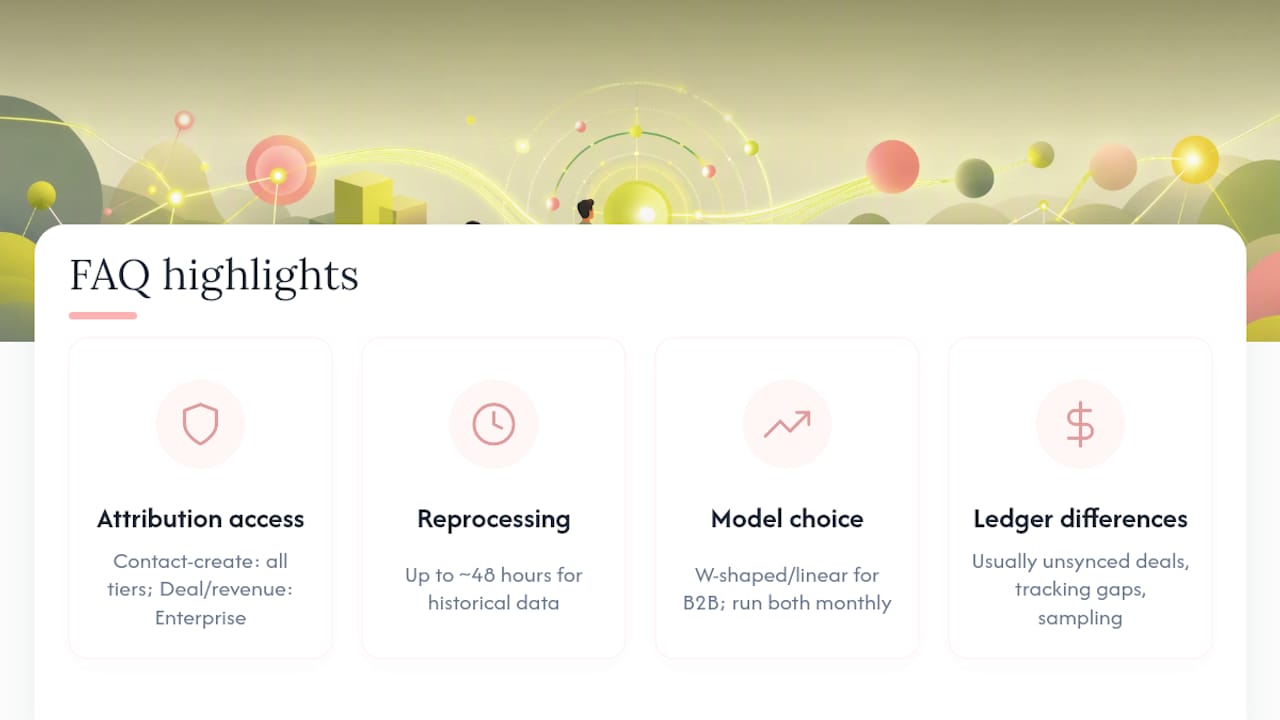
What causes attribution numbers to not match the general ledger? Mismatches usually trace back to deals not synced correctly, Closed Won status set incorrectly, interaction tracking gaps, or sampling on high-volume accounts. Monthly reconciliation is the standard way to catch these discrepancies before they affect budget decisions.
Sources
- Create attribution reports
- Select interaction types for your attribution reports
- HubSpot multi-touch attribution models (CRM Curator)